


Claude Desktop使用第三方模型图文教程
Claude Desktop使用第三方模型图文教程
Claude Desktop使用使用自定义API,接入第三方模型,比如DeepSeek,GLM等
总结起来
- 正常安装
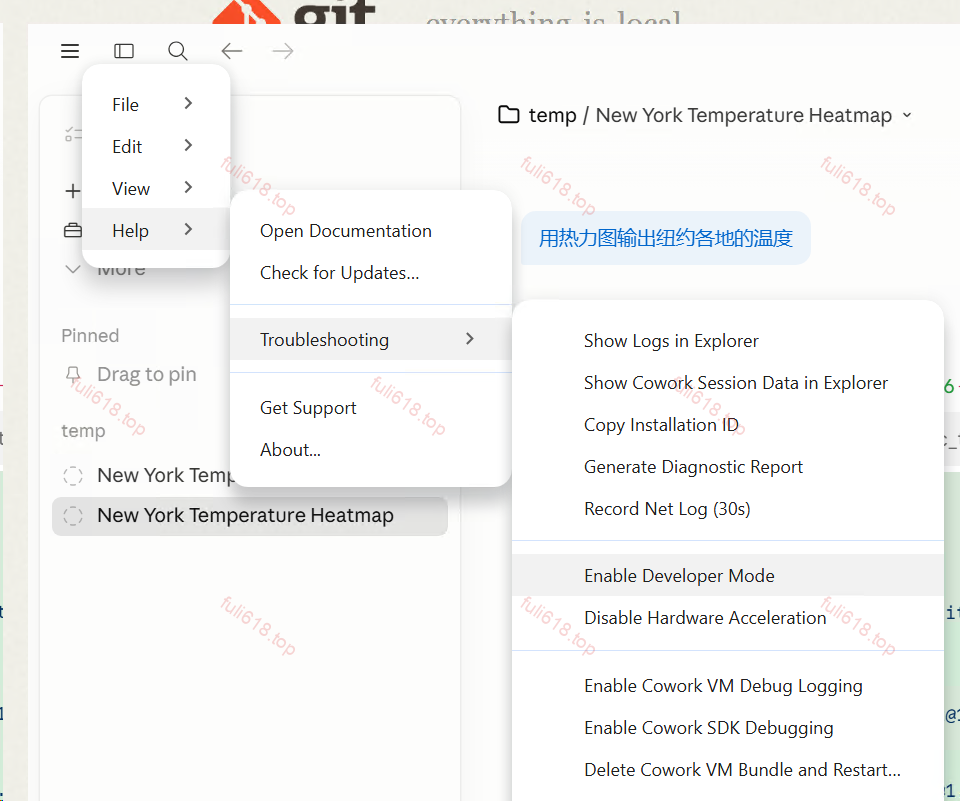
- 首次打开,不登陆,左上角菜单按钮(这里有个小坑,没有登录,貌似点击不了,需要通过鼠标选择邮件输入框,键盘tab跳到这里回车打开)–> help → troubleshooting → enable developer mode

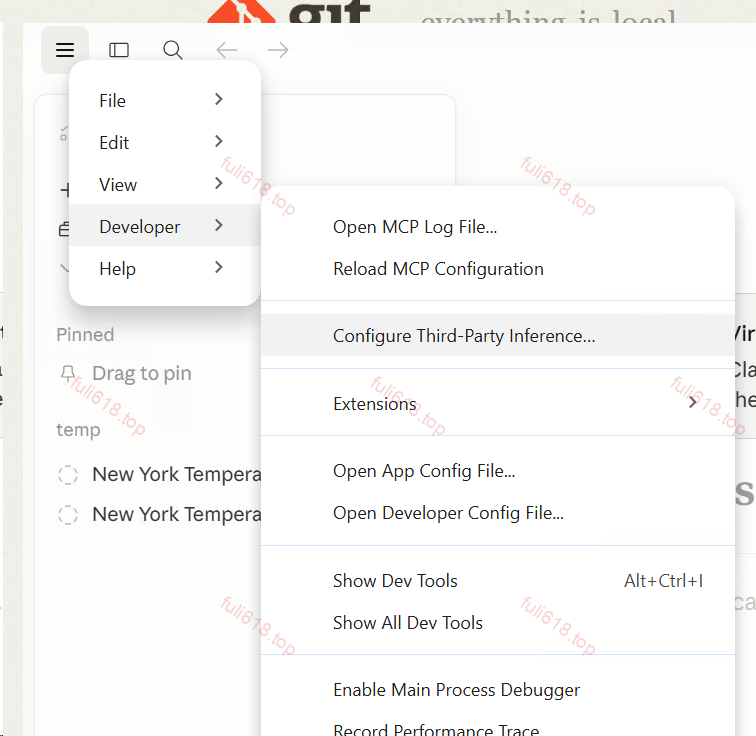
- Developer → Configure third-party inference
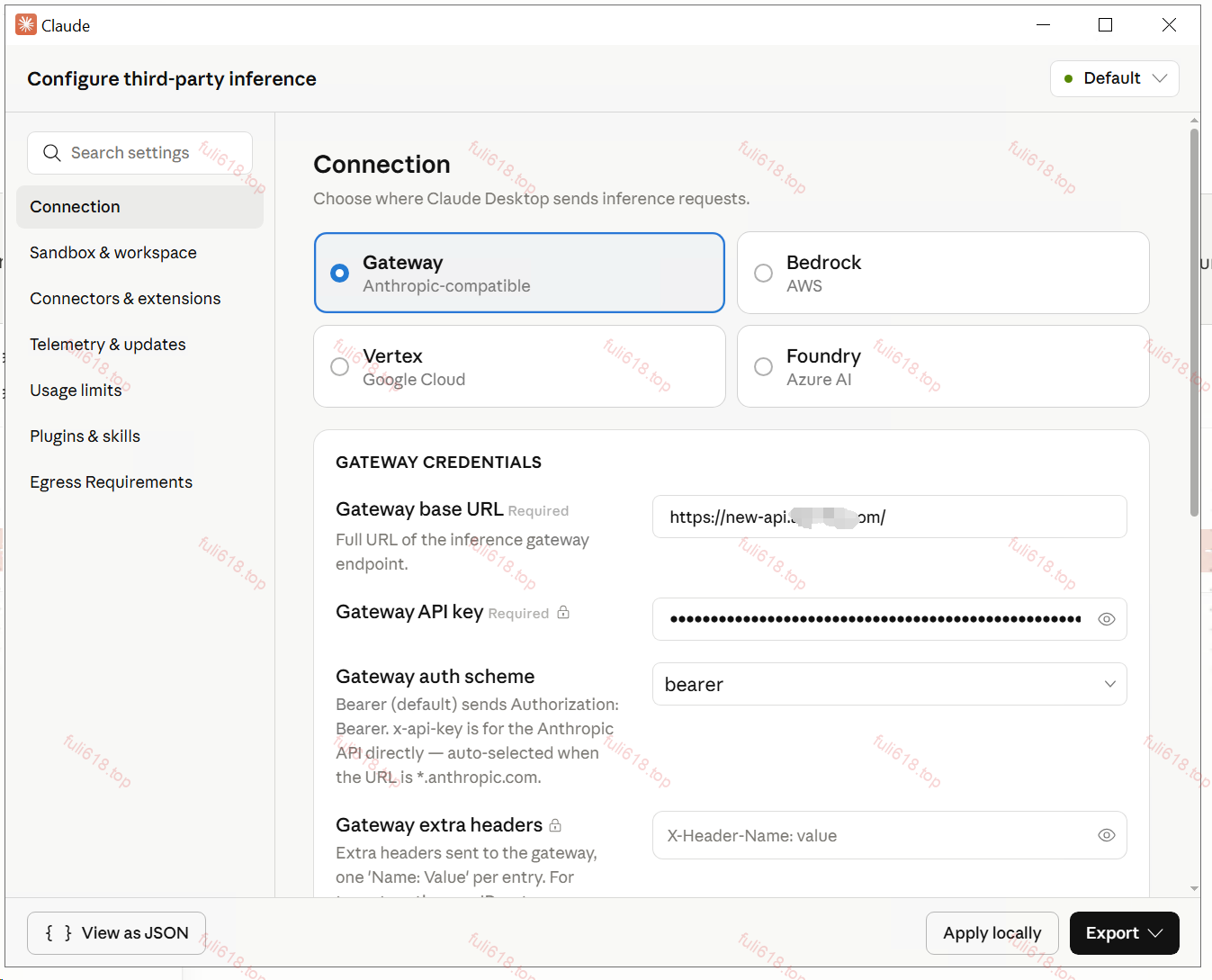
- 配置中转地址和key,apply locally 选择local进入就好了。
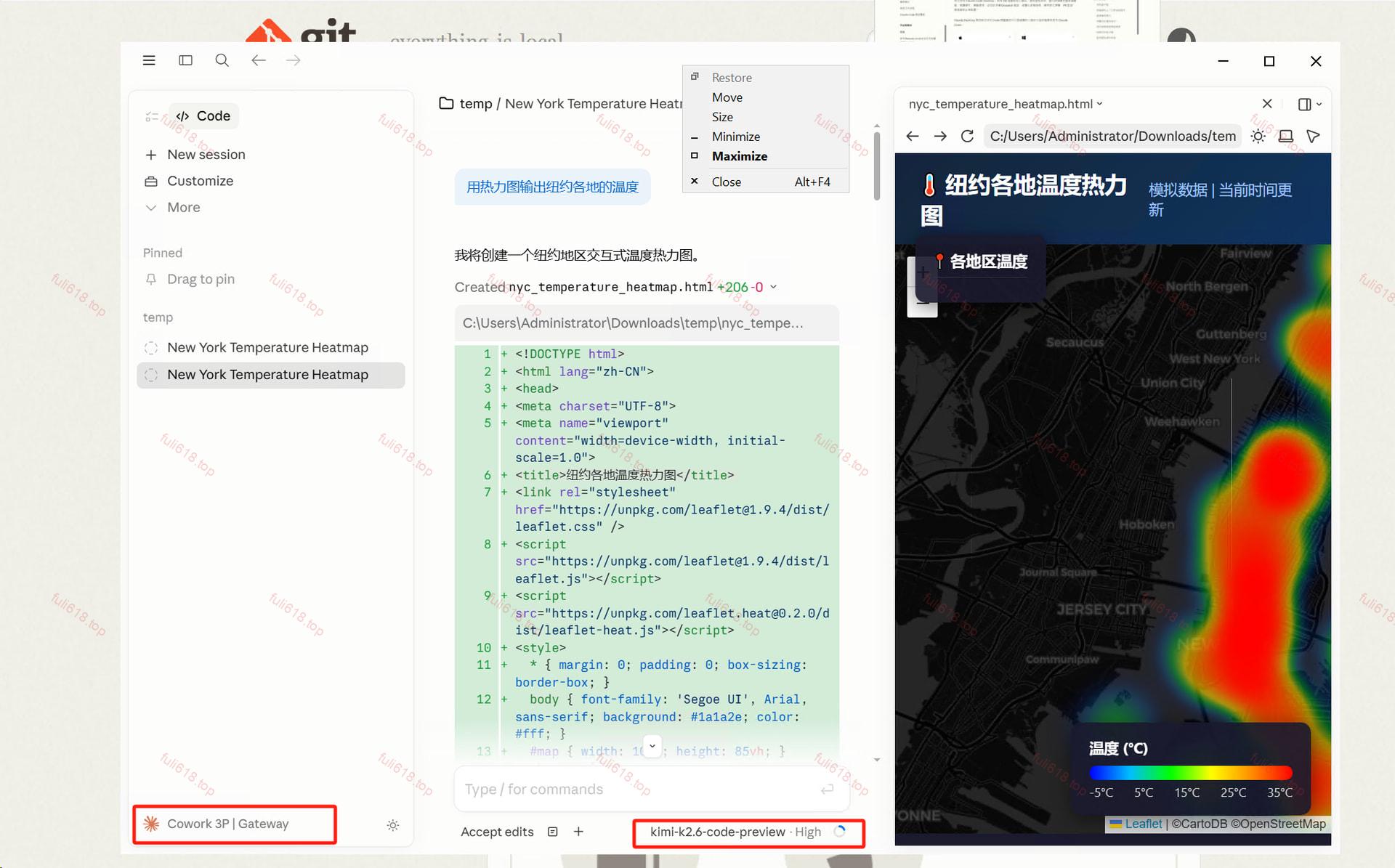
效果:
官网链接
© 版权声明
文章版权归作者所有,未经允许请勿转载。
暂无评论...